

Gadgets Redemption Guide & FAQ
Redeem by 31st August 2026
Step by Step Redemption Instructions via Desktop
Important Notes:
By proceeding, you consent to Changi Airport Group sharing your personal data with Minden Singapore Pte Ltd (yuu Rewards Club) for verification and fraud prevention.
This redemption is in collaboration with DBS.
Please follow these steps to claim your item via Desktop.
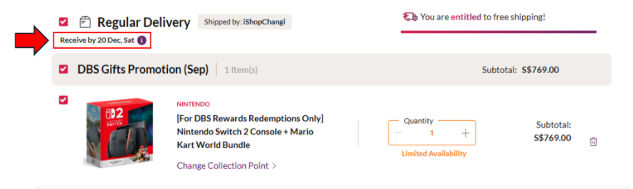
1. Visit the Campaign Page: Click on the featured item displayed on this iShopChangi landing page here.
Redemption Steps:
Visit the Campaign Page for ipad A16 here
Visit the Campaign Page for airpods 4 here
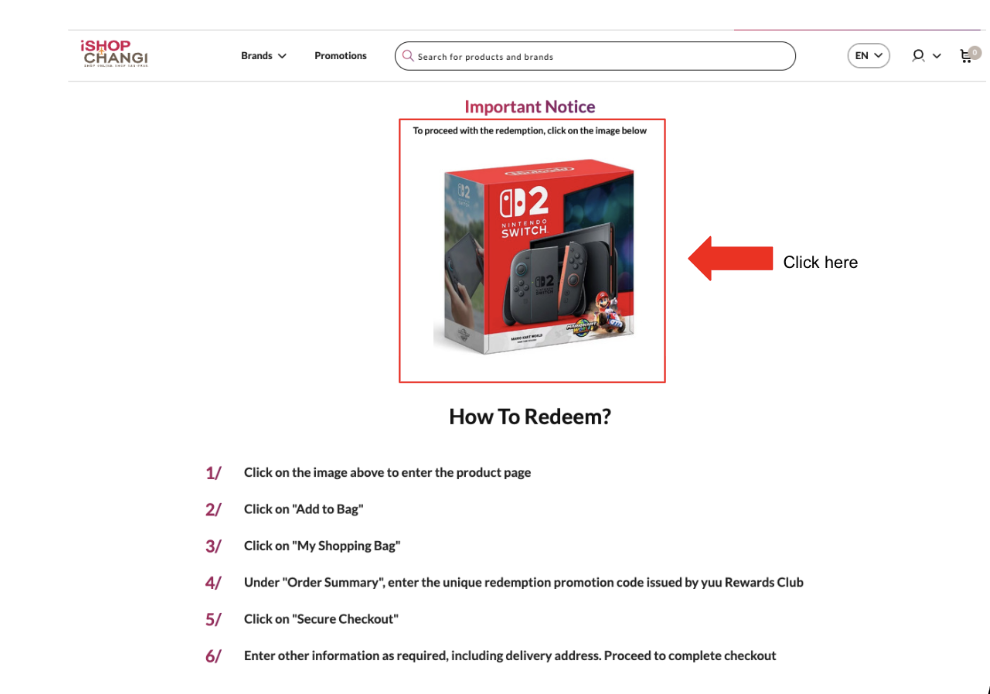
2. Add to Cart: Click the "Add to Cart" button to place the item in "My Shopping Cart."
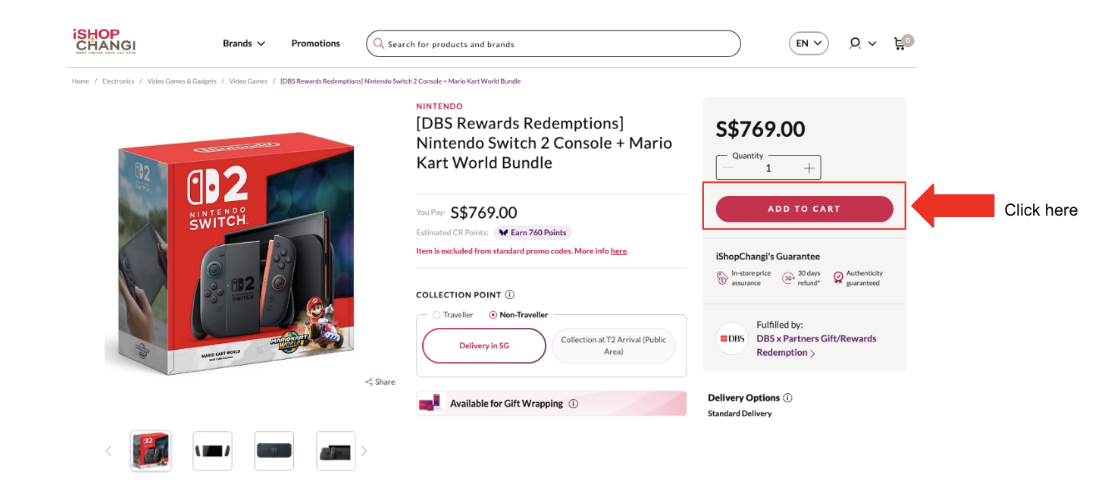
3. Access Shopping Cart: Click on the shopping cart icon located in the top right corner of the page.
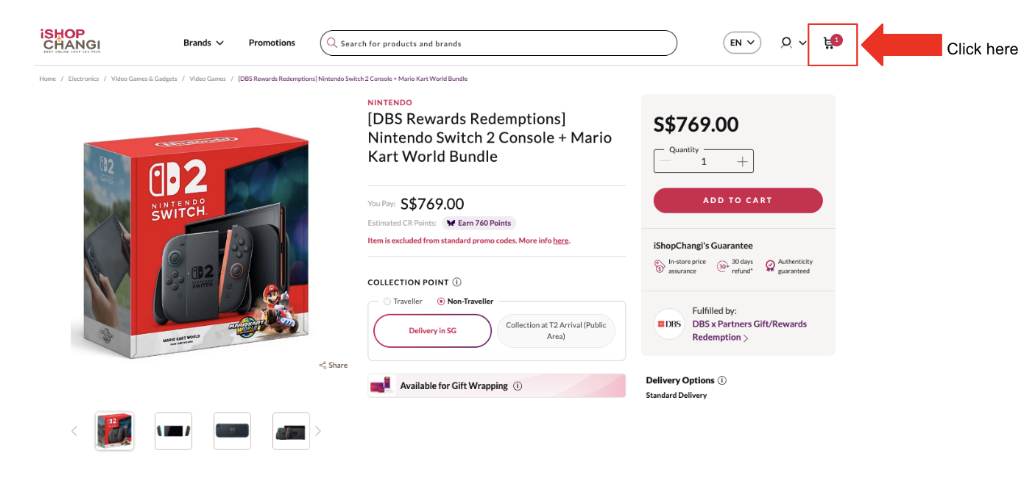
4. Apply Promotion Code: Scroll down and enter your unique redemption promotion code issued by yuu Rewards. Click "Apply." The amount payable will update to $0.00.
Note: You can refer to Q2 in the Frequently Asked Questions section below for details on how to obtain your promo code.
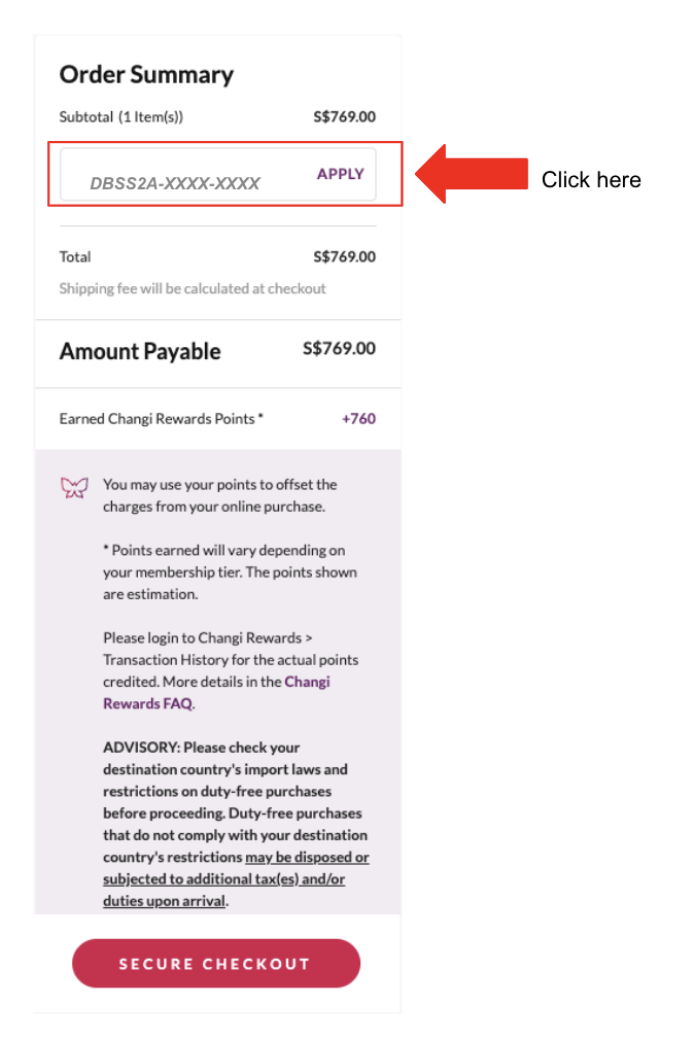
5. Proceed to Checkout: Click on "Secure Checkout."
6. Login or Register:
Existing Changi Account Holders: Log in to your account.
New Changi Account Holders: Complete the required details, including your delivery address.
7.Complete Transaction: Finalise your order.
Note: No payment is required as the amount payable is $0.00.
Step by Step Redemption Instructions via Mobile
Important Notes:
By proceeding, you consent to Changi Airport Group sharing your personal data with Minden Singapore Pte Ltd (yuu Rewards Club) for verification and fraud prevention.
This redemption is in collaboration with DBS.
Please follow these steps to claim your item via Mobile.
1. Visit the Campaign Page: Click on the featured item displayed on this iShopChangi landing page here.
Redemption Steps:
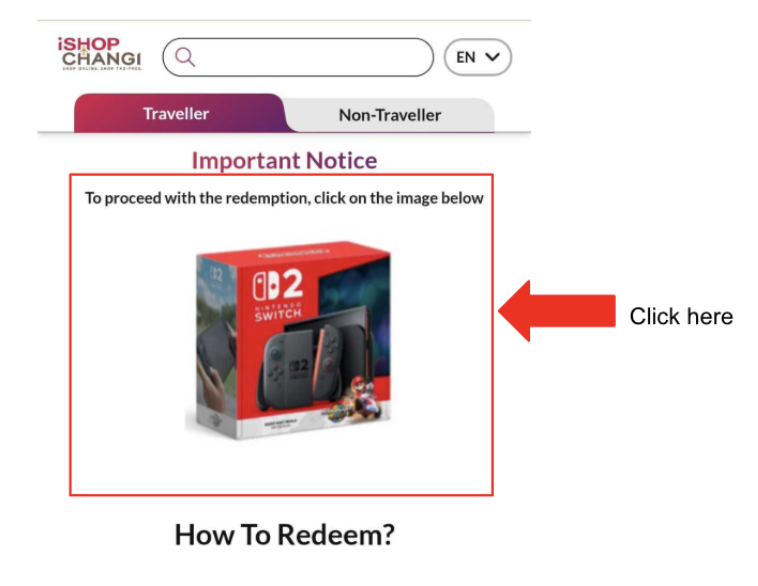
Visit the Campaign Page for airpods 4 here
Visit the Campaign Page for ipad A16 here
2. Add to cart: Click the "Add to Cart" button to place the item in "My Shopping cart."
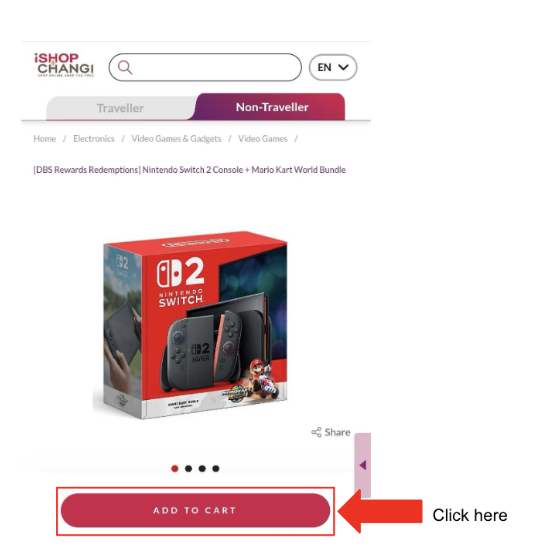
3. Access Shopping cart: Click on the shopping cart icon located at the bottom menu of the page.
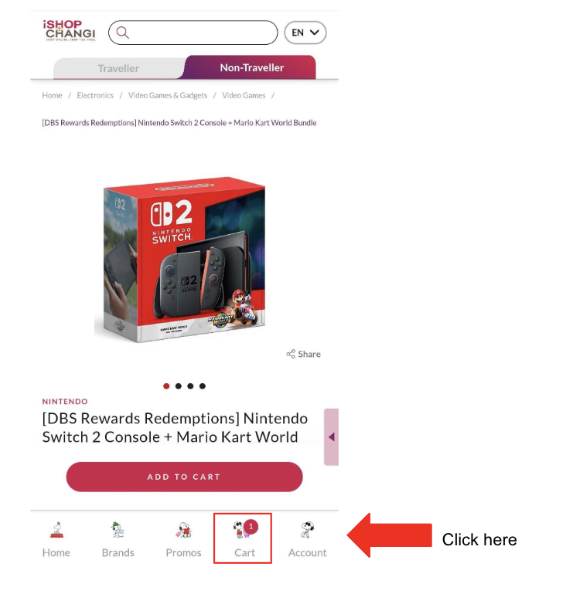
4. Apply Promotion Code: Scroll down and enter your unique redemption promotion code issued by DBS. Click "Apply." The amount payable will update to $0.00.
Note: You can refer to Q2 in the Frequently Asked Questions section below for details on how to obtain your promo code.
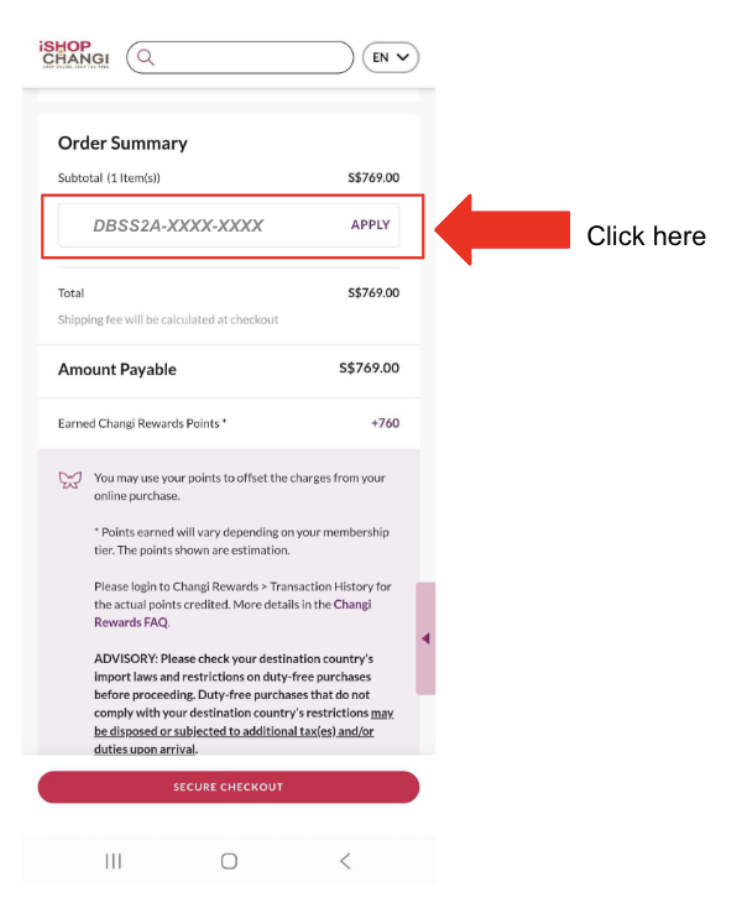
5. Proceed to Checkout: Click on "Secure Checkout."
6. Login or Register:
Existing Changi Account Holders: Log in to your account.
New Changi Account Holders: Complete the required details, including your delivery address.
7. Complete Transaction: Finalise your order.
Note: No payment is required as the amount payable is $0.00.
Frequently Asked Questions (FAQs)
Q1.How do I claim my Gift?
You can follow the step-by-step Redemption Guide for iShopChangi here.
Q2. Where can I find my redemption code?
Your unique redemption code is located in The yuu App > Me > My Rewards > To Use page.
Q3. What is the last day to redeem my reward code on iShopChangi?
You must redeem your reward code within 30 days of code issuance. If your code was issued on 31 July 2026, you have till 30 August 2026 to redeem your item.
Q4. What happens if I don’t redeem my gift within 30 days?
Gifts not redeemed within 30 days will be forfeited.
Q5. When can I expect the Gift to be delivered to me?
Estimated delivery dates will be shown to you on the checkout page.